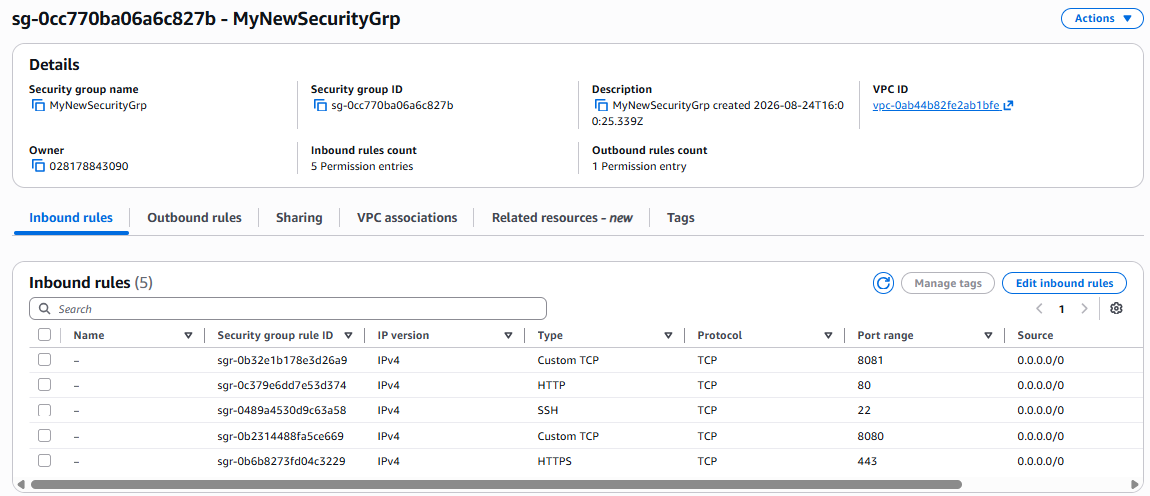
Guide on ap-south-1.console.aws.amazon.com
28 steps · Created Aug 27, 2026 · Source: google.com
Step 01: Click Ask Amazon Q

Step 02: Type "security group" in Search

Step 03: Click link "Security groups"

Step 04: Click Create security group

Step 05: Type "a new securitygroup" in MyWebServerGroup

Step 06: Type into text field Allows SSH access to developers

Step 07: Click Create security group

Step 08: Type "aNewGroup" in MyWebServerGroup

Step 09: Type "a test security grp" in Allows SSH access to developers

Step 10: Click Inbound rules

Step 11: Click Add rule

Step 12: Click Custom TCP

Step 13: Click Custom TCP
Step 14: Click Custom TCP
Step 15: Click Custom TCP
Step 16: Click All UDP

Step 17: Press ArrowDown on All UDP

Step 18: Click Custom

Step 19: Press ArrowDown on Custom

Step 20: Press ArrowDown on Selected Custom

Step 21: Press Enter on listbox

Step 22: Type "all ipv4 connections allowed" in Inbound rule 1 Description - optional

Step 23: Click Add rule

Step 24: Click Cancel

Step 25: Click Create security group

Step 26: Type into text field MyWebServerGroup

Step 27: Click Create security group

Step 28: Click Create security group